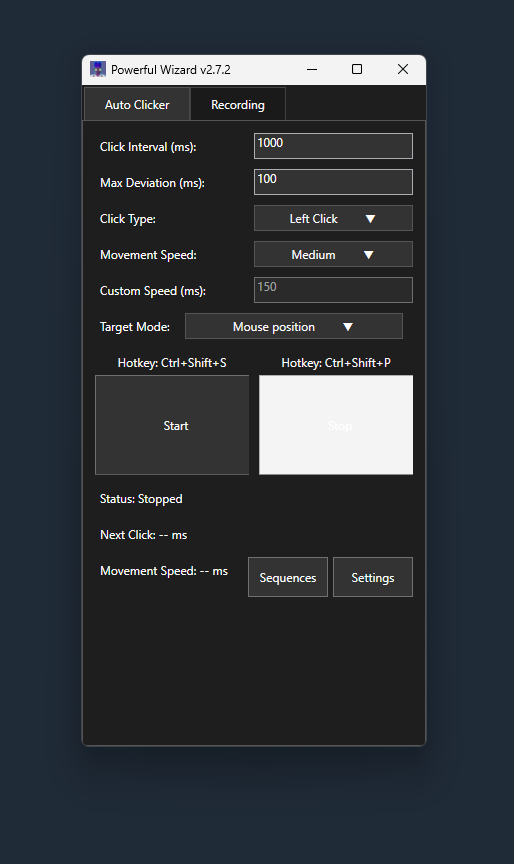
Become the most powerful almighty wizard with the help of our free autoclicker. PowerfulWizard is a free download that allows you to easily click your mouse button automatically with a set timer, start and stop by clicking the button or custom hotkeys and add a randomizer for human click timing.
Opening the Sequence Configurator no longer crashes when run-time controls load.
Run-time input handlers stay suspended until all controls are wired up during window load, so the UI is ready before input is accepted.
Read the full v2.7.5 release notes on the blog → · v2.7.3: run time limit & auto-stop →
Any Windows 10 or 11 (64-bit) user looking to download a simple, lightweight auto clicker tool for powerleveling or training so long as you have .NET 8.0 Desktop Runtime installed. Our app runs over any game or program allowing fast and easy auto click training with advanced sequence automation.
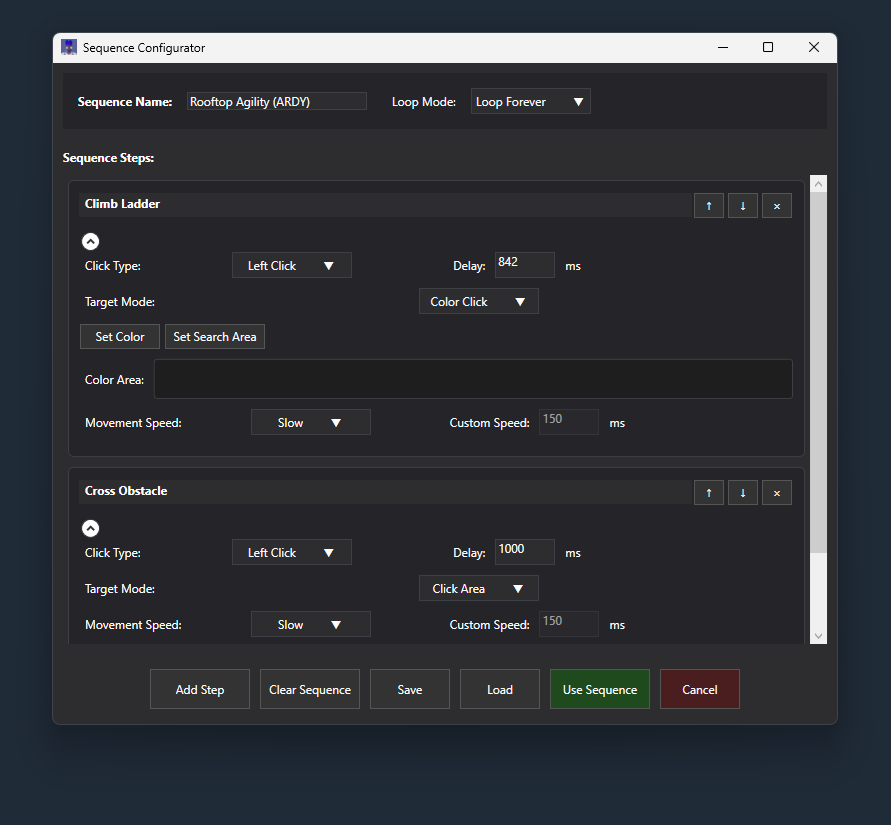
PowerfulWizard auto mouse clicker works using standard windows APIs and the users settings to click automatically on a random interval. You can create multi-step sequences that perform different actions in order, or stick with simple single-click automation.
Yes. You can use any mouse button (left, right, middle, side) or keyboard key as start/stop hotkeys. Click in the hotkey box, then press the key or mouse button you want; no need to pick from a dropdown.
Yes, you can adjust the "Max Deviation" amount to give a random range above or below your timer. This works for both single clicks and individual steps in sequences.
Single-click mode repeatedly performs one action (like left clicking every 2 seconds). Sequence mode lets you chain together multiple different actions - for example: left click at position A, wait 1 second, right click at position B, wait 3 seconds, then repeat the whole thing. Perfect for complex training routines.
Yes. When you use Click Area target mode, an overlay shows highlighted boxes for each action. When editing sequences, a fullscreen overlay shows where each step will click. The overlay appears only when needed, not on startup.
Absolutely. You can use left click, right click, middle click, or double click for any action. In sequence mode, each step can use a different click type.
Yes, v2.7.5 includes smooth mouse trails that follow your cursor around the screen. You can enable rainbow mode for color-changing trails or pick a static color. The trails are completely click-through so they won't interfere with your work.
PowerfulWizard costs $0.
PowerfulWizard is 100% free to download and will always remain free for all future updates. Source code is available on github where you can review and build the app yourself for maximum safety. We don't take any donations or payments for the program.