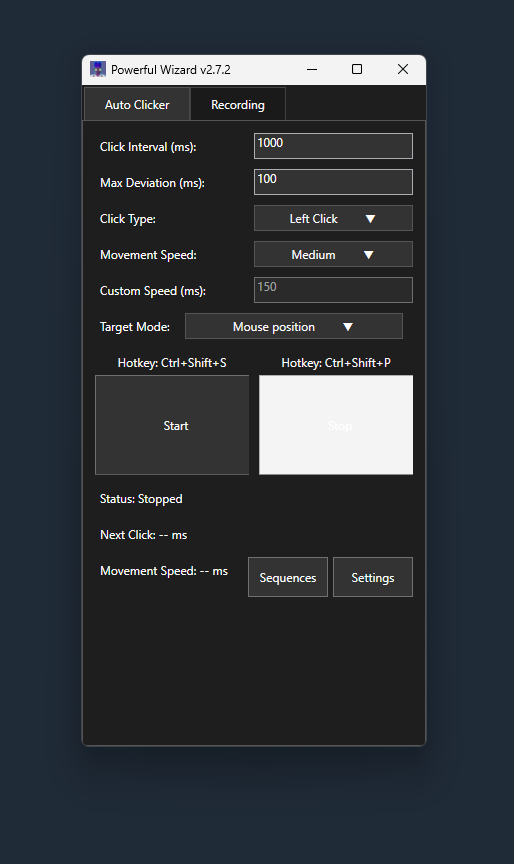
PowerfulWizard is a powerful, no-code alternative to AutoHotkey that eliminates the need for scripting. Instead of writing complex AHK code, simply record your mouse movements and clicks with an intuitive interface. Perfect for users who want automation power without the programming learning curve.
PowerfulWizard offers the same automation power as AutoHotkey without requiring programming knowledge. While AHK requires learning AutoHotkey scripting language, PowerfulWizard uses a simple record-and-playback system. You can create complex automation sequences by simply performing the actions you want to automate, then replay them with customizable timing and randomization. No syntax errors, no debugging - just pure automation.
With PowerfulWizard's no-code approach, you can automate virtually any repetitive task: form filling, data entry, game grinding, file management, web navigation, and more. The software records every mouse movement, click, and action, allowing you to create sophisticated automation workflows. You can edit recorded sequences, adjust timing, add random delays, and set up hotkeys - all through the visual interface without writing a single line of code.
Yes, PowerfulWizard provides comparable automation capabilities to AutoHotkey for most common use cases. While AHK offers more advanced programming features for power users, PowerfulWizard covers 90% of typical automation needs through its intuitive interface. For mouse and keyboard automation, sequence recording, and basic scripting tasks, PowerfulWizard delivers the same results with much less complexity and learning time.
Getting started is incredibly simple: download PowerfulWizard, launch the program, and click "Record." Perform the actions you want to automate, then click "Stop Recording." Save your sequence with a descriptive name and replay it anytime. You can adjust playback speed, add randomization, and set up hotkeys - all through simple clicks and sliders. No programming knowledge required!